Cisco MCP Platform
An internal MCP marketplace at Cisco: a FastAPI + FastMCP server that lets AI agents discover and call internal tools on their own, with a Vue dashboard to onboard and test them.
It's always something new
The first time I heard "MCP" wasn't at Cisco. I try to keep up with where AI is going, so I'd seen it float by. I'd even used one once, back in the early days when you could point an AI agent at your file system and watch it move files around your computer for you. At the time that felt like magic. It has all moved on since.
But I'd only ever plugged one in and played with it. I had never built one. I had never even been curious about how it worked underneath. I just used it.
So when I got to Cisco and was told I'd be working with the team building an MCP server, my honest first reaction was: damn, okay, we're going right in. I'd half-expected something familiar, a CRUD app, something I'd done before. Instead it was something new. I keep running into that, and I keep asking myself the same question: how is it always something new?
What an MCP server actually is
Quick grounding, because the rest of this doesn't make sense without it.
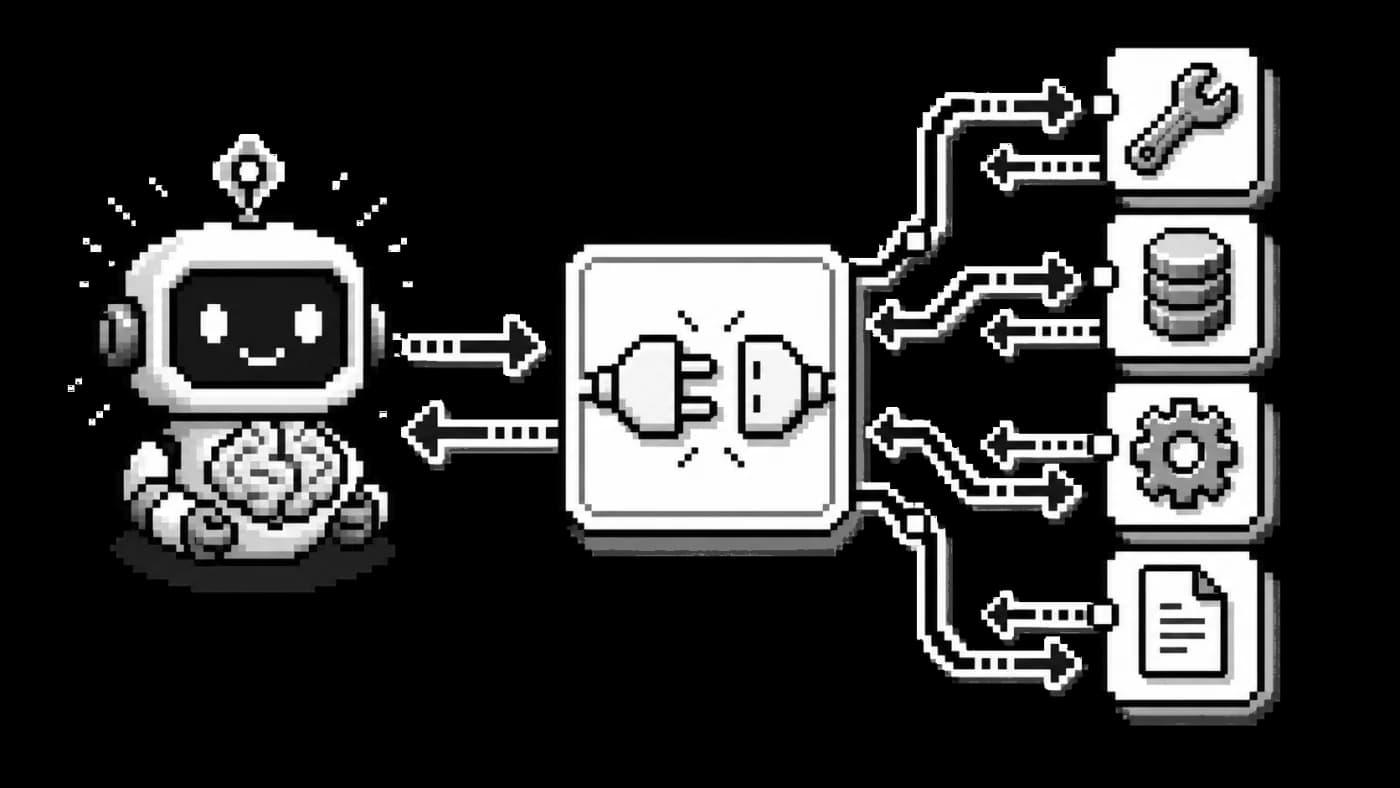
The Model Context Protocol is an open standard Anthropic released at the end of 2024 for connecting AI applications to outside tools and data through one shared protocol. Think of it as a universal port. Instead of hand-wiring every agent to every tool, a tool exposes itself once through an MCP server, and any app that speaks MCP can discover it and call it.
The shape is client and server. The AI app is the host, and for every server it connects to it spins up its own client for that one connection. Each server exposes a few things, but the one that matters here is tools: functions the agent can actually run. Your editor is the easy example. VS Code is the host, and when you point it at an MCP server it creates a client for that server.
The mental model that finally stuck: the host spins up one client per server, and each server hands the agent a box of tools it can choose from. Hold onto that, the rest of the story leans on it.
The first week
My move on any new project is always the same: get my hands on it. Build the smallest possible version just to feel how it works.
The team had already started, but, truthfully, most of them didn't fully understand it either, which was weirdly reassuring. Okay, nobody has this figured out yet. I asked what people were using to get up to speed, found a good walkthrough from Tech With Tim, and spent a whole night on it. I didn't want to be behind. More than anything I wanted to actually be part of the team. So I set myself a goal: by the end of the week, build my own working MCP server, however minimal.
That's when it clicked how powerful this is. Normally you prompt an agent and hope. Here you hand it a box of tools, each one already does a specific thing, and the agent works out which one fits the situation. Every tool carries a description and a few hints to help it choose. You stop telling the agent what to do step by step and start handing it capabilities.
The actual problem
Here's what the marketplace was meant to solve, and I want to be fair: this isn't a Cisco problem. Every big company has it.
Inside Cisco there is a mountain of internal tooling. Every team has written its own scripts, APIs, and little tools for its day to day. Want to pull something off a dashboard? There's an API for that. Want metrics out of a specific database? Someone built a tool. The work exists. The problem is finding it.
If you're an engineer who needs one of these tools, you're stuck, because there's no marketplace. You don't know what already exists, who owns it, or which team built it. So the old way was: reach out to a team, who asks around, who maybe points you somewhere. Sometimes nobody had built the thing. Sometimes two teams had built the same tool without knowing about each other. It was a mess.
Why this was hard: a marketplace, not a server
A plain MCP server is honestly easy to build. That wasn't the job. The job was a marketplace: a place where any agent at Cisco could discover the tools available to its team or department and call them, safely.
That distinction is the whole challenge. I didn't just have to learn MCP, I had to make MCP work at enterprise scale. Out of the box it leans toward a simple, single app, and an enterprise needs more than that.
The biggest new idea for me was decoupling. I'd never decoupled anything. I didn't even know the word. My mentor said it and I genuinely went, what does that mean?
Decoupling, the version that finally landed for me: split the system at a clean seam so each side can be reasoned about, scaled, and shipped on its own.
In our case the FastAPI side owned the REST backend: the dashboard, the registry of tools, onboarding, auth, and generating schemas. The FastMCP side owned actually speaking MCP to the agents. They could have lived in one process, FastMCP even mounts straight into FastAPI, but keeping them as a clean boundary meant we could reason about, scale, and ship each one on its own. It also kept the MCP layer something we designed on purpose, which matters, because a hand-designed MCP server beats a blind one-to-one mirror of every REST endpoint you have.
Building it
Most of what I built, I built full stack: the server, the dashboard, and the front end.
The first version of onboarding was rough. To add a tool you'd request an API key and wire it up through your terminal with some CLI and config. Nobody enjoyed that. So I built a dashboard in Vue, following Cisco's internal UI library, to be the front of the marketplace. You could see every tool other people had onboarded, see each tool's scope and which department it belonged to so you couldn't run something that wasn't yours to run, and see whether a tool was active and set up correctly.
The part I'm most proud of is onboarding your own tool. You paste in your API's URL, and the dashboard reads its OpenAPI schema and turns those endpoints into MCP tools the agent can actually understand. FastMCP has a real path for this, from_openapi, and a lot of my work went into making that flow smooth, so adding a tool felt like filling in a form instead of fighting a config file.
Then there was testing. Normally, to check that a freshly onboarded tool worked, you'd leave the dashboard, go configure the MCP server in your editor, and try it there. That works, but it's friction. So we built a small in-browser agent, basically a chatbot, whose only job is to act as an MCP client so you can test a tool right there in the page. It sounds simple now. At the time it felt like a lot.
What fought me
A few things, honestly.
The first was just enterprise life, and no shade to Cisco, they're a genuinely strong team. But requesting access to things is slow, and a lot of my bottlenecks were just waiting on it. That's what scale costs, and there's nothing to be done about it. I made my peace with it. Their deployment pipeline was also completely new to me, one more new thing.
The other was the models themselves. This was early-to-mid 2025, and in my experience tool calling was shaky. You had to be painfully explicit in every tool description about exactly what the tool did, or the agent would get it wrong. The one thing they were great at was reading OpenAPI schemas. They'd also hallucinate constantly. We kept tightening descriptions and validations until it held together and actually worked well.
Coming back to a platform that broke
When I left at the end of the summer, I figured the marketplace was a nice thing I'd built, and that would be that. I genuinely didn't expect it to get adopted.
Then, back in September, I saw one of those company-wide emails, the kind that goes out to everyone about the big things being built, and it was in there. As a major thing. I had no idea it had gotten that big. I was so proud I'd worked on it. It still makes me smile, because some part of me didn't think an intern could ship something that people would actually notice and use.
And then people used it. And it broke.
Here's the humbling part. When I first wrote the code over the summer, I thought I'd done a good job. I came back, opened it up, and went: what was I doing?
The front end especially. Nothing was lazy-loading. There was a table meant to hold a ton of entries with no pagination, no lazy loading, and no limit, so it just tried to render everything at once. Pages weren't laying out right. Things were misaligned. I looked at it and couldn't believe that was what I'd shipped.
The unglamorous half of the job
So the second stint wasn't really building. It was cleanup. I split the front end into proper components, paginated and lazy-loaded the heavy table, and went through the backend tightening up how the files and the architecture were organized. That work is where the numbers come from: interaction latency dropped by around 40%, and the recurring incidents that kept knocking the platform over dropped by about 35%, so it stayed steady for the teams that now depended on it.
Day to day, someone would hit a problem, a tool that wasn't working right, and my mentor and I would dig in and fix it. Honestly, it wasn't as fun as the first time around. The first time was learning. This was "okay, you have to clean up now, organize this." Some long nights, but I won't pretend it was anything heroic.
What it taught me
The thing that stuck with me: most of a developer's job isn't writing new code. It's maintaining the old code. Anyone can write the first version. The real question is whether you can keep it alive. Can you maintain it, fix it, handle the issues that show up once real people are leaning on it?
Two things I'm proud of, and I'll just say them plainly. One, I shipped a full project that wasn't only decent, it was adopted and actually useful to people. Two, I picked up a technology I knew nothing about, fast, which told me my fundamentals are solid enough to learn hard things quickly. That one genuinely made me happy.